
Download Argente Malware Cleaner – Malware Removal, Spyware Protection, Secure Scan, Free Tool
Overview
Argente Malware Cleaner is a security-focused utility designed to protect Windows systems from a range of malicious threats, including malware, spyware, adware, Trojans, and other potentially harmful software. The application aims to provide users with a reliable and accessible solution for identifying and removing digital threats without requiring advanced technical expertise. It targets individuals and organizations seeking to maintain system integrity, privacy, and performance by eliminating harmful elements that may compromise data or slow down operations. The tool is particularly useful for users who want to perform regular system checks without relying on complex antivirus suites.
Although the developer did not provide additional background information, the application’s design and functionality suggest a focus on simplicity and effectiveness. It is intended for everyday users, remote workers, students, and small business owners who prioritize digital safety but may lack in-depth knowledge of cybersecurity. Real-world use cases include routine system maintenance, post-infection cleanup, and proactive threat prevention. In the broader app ecosystem, Argente Malware Cleaner fills a niche by offering a lightweight, free alternative to full-featured antivirus software, emphasizing targeted scanning and safe removal practices. Its presence supports a more layered defense strategy for personal computing environments.
Key Features & Functionality
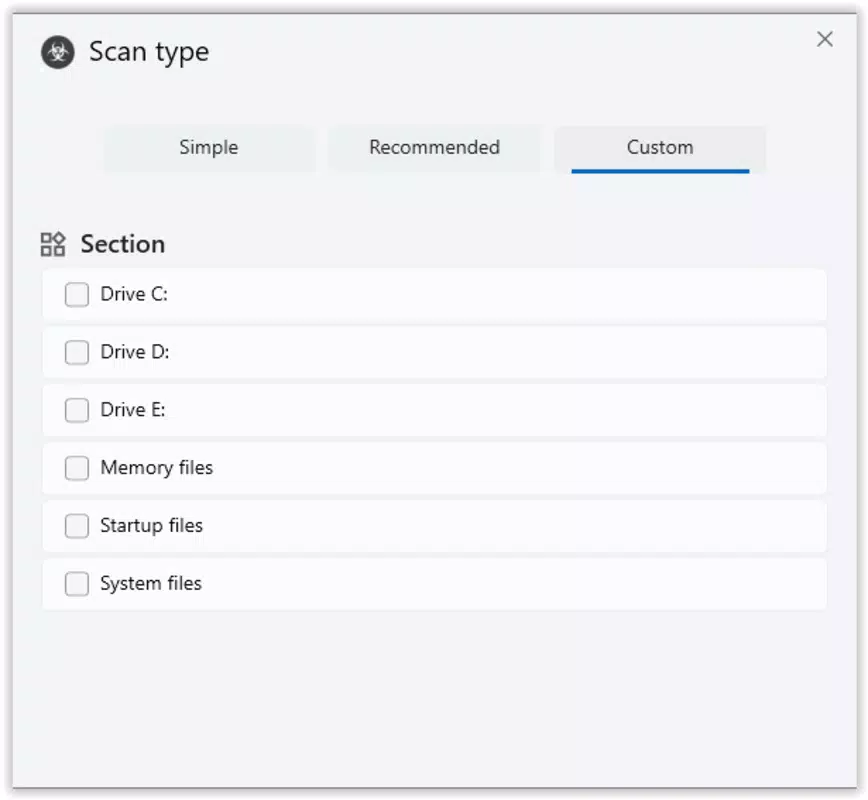
- Comprehensive System Scanning: The tool enables users to perform quick, full, or custom scans across entire systems or specific drives and directories. This flexibility allows for efficient threat detection tailored to user needs, whether conducting a general check or investigating a suspicious file.
- Safe Threat Removal: Detected threats are removed without affecting legitimate system files. Users can review results before taking action, reducing the risk of accidental data loss. Quarantined files can be restored with a single click, providing a safety net for mistaken detections.
- Behavior-Based Detection: Beyond traditional signature scanning, Argente Malware Cleaner uses behavior analysis to detect new or modified threats that may not yet be in known databases. Processes exhibiting abnormal activity are flagged for user review, enabling early response to emerging threats.
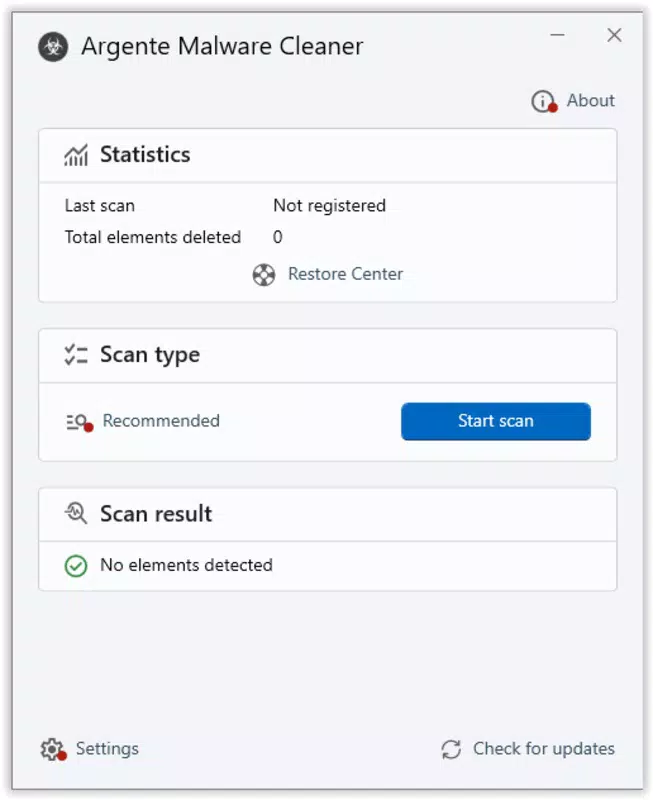
- User-Friendly Interface: The application features a clean, intuitive layout that simplifies navigation for users of all technical levels. Initiating scans, viewing results, and managing settings are all performed through straightforward controls, minimizing the learning curve.
- Free and Efficient Operation: Argente Malware Cleaner is available at no cost and operates with minimal system resource usage. This ensures that scans do not significantly impact device performance. Regular updates keep the detection engine current with evolving threats.
Practical Use Cases
For example, a user noticing unusual browser redirects might run a quick scan to identify adware. A small business owner could schedule full system scans weekly to prevent data breaches. In both cases, the ability to review threats before removal enhances trust in the tool’s decisions.
Interface, UX & Performance
The interface of Argente Malware Cleaner is designed with accessibility in mind, featuring a minimalistic layout that prioritizes clarity and ease of use. Navigation is straightforward, with clearly labeled buttons for scanning, reviewing results, and managing settings. The visual style is functional, avoiding unnecessary graphics that could distract from core tasks.
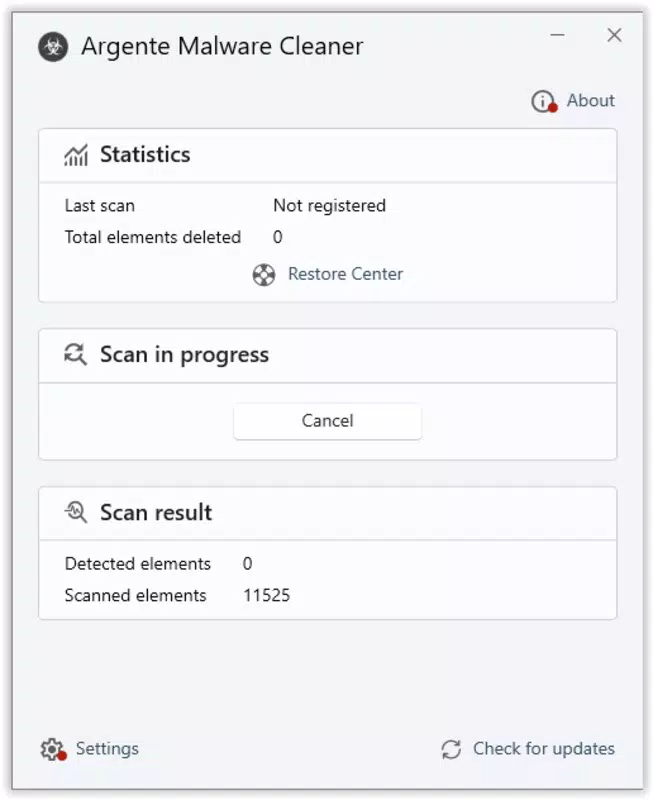
Users can initiate scans with a single click and view results in a structured list format, with threat categories and locations clearly displayed. The workflow is linear and predictable, reducing the likelihood of user error. Although the developer did not list formal performance metrics, the tool is described as operating with minimal resource consumption, suggesting it runs efficiently even on older or low-spec systems.
Responsiveness during scans appears to be consistent, with no reported delays in interface interaction. Stability is implied through the safe removal and restoration features, which indicate careful handling of system files. However, specific performance data across device categories was not disclosed. Users are advised to monitor system behavior during scans, especially on devices with limited memory or processing power.
Platform Compatibility & Technical Requirements
Argente Malware Cleaner is designed for Windows operating systems. The application is available in a version that supports modern Windows environments, though specific OS versions were not listed. The file size is provided as 12.4 MB, indicating a lightweight footprint suitable for quick downloads and installations.
The developer did not specify minimum OS requirements or compatibility details beyond the platform. Users should ensure their system meets general Windows standards for running executable tools. No additional software dependencies were mentioned. Installation is likely straightforward, as the tool is designed for non-technical users. For users seeking to install on older or less common Windows configurations, compatibility information was not fully disclosed.
Pros and Cons
- Free to use with no hidden costs
- Lightweight and efficient resource usage
- Simple, intuitive interface for all user levels
- Safe removal with option to restore quarantined files
- Behavior-based detection for emerging threats
- Flexible scanning options: quick, full, and custom
- Specific OS compatibility details were not provided
- No official mobile version available (Windows-only)
- Developer background not disclosed
- Performance metrics not published
- Limited information on update frequency
FAQ
Is Argente Malware Cleaner safe to download and install?
Yes, the tool is designed to be secure and does not contain known malicious components. It is available as a free download and does not require third-party software for installation.
Can I use Argente Malware Cleaner on multiple devices?
While the application is intended for use on individual Windows systems, the developer did not specify licensing terms for multiple installations. Users should refer to the official site for usage guidelines.
Does Argente Malware Cleaner require a constant internet connection?
The application does not require a persistent internet connection for scanning. However, periodic updates are necessary to maintain detection accuracy against new threats.
How often should I run a scan with Argente Malware Cleaner?
For optimal security, users are advised to run a full scan at least once a week. Quick scans can be performed more frequently, especially after downloading new files or visiting unfamiliar websites.
Is there a mobile version of Argente Malware Cleaner?
No mobile version was listed in the provided information. The tool is currently available only for Windows systems.
Final Thoughts
Argente Malware Cleaner delivers a focused, reliable solution for users seeking to maintain a clean and secure Windows environment. Its combination of comprehensive scanning, safe removal protocols, and behavior-based detection makes it a valuable tool in personal and small-scale digital defense strategies. The free availability, lightweight design, and user-friendly interface enhance its accessibility, particularly for non-technical users who want effective protection without complexity.
While some technical details such as OS compatibility and update frequency remain unspecified, the app’s core functionality is clearly designed with user safety and ease of use in mind. For individuals looking to perform regular system checks or address potential threats without investing in expensive software, Argente Malware Cleaner offers strong value.
Download Argente Malware Cleaner now


